
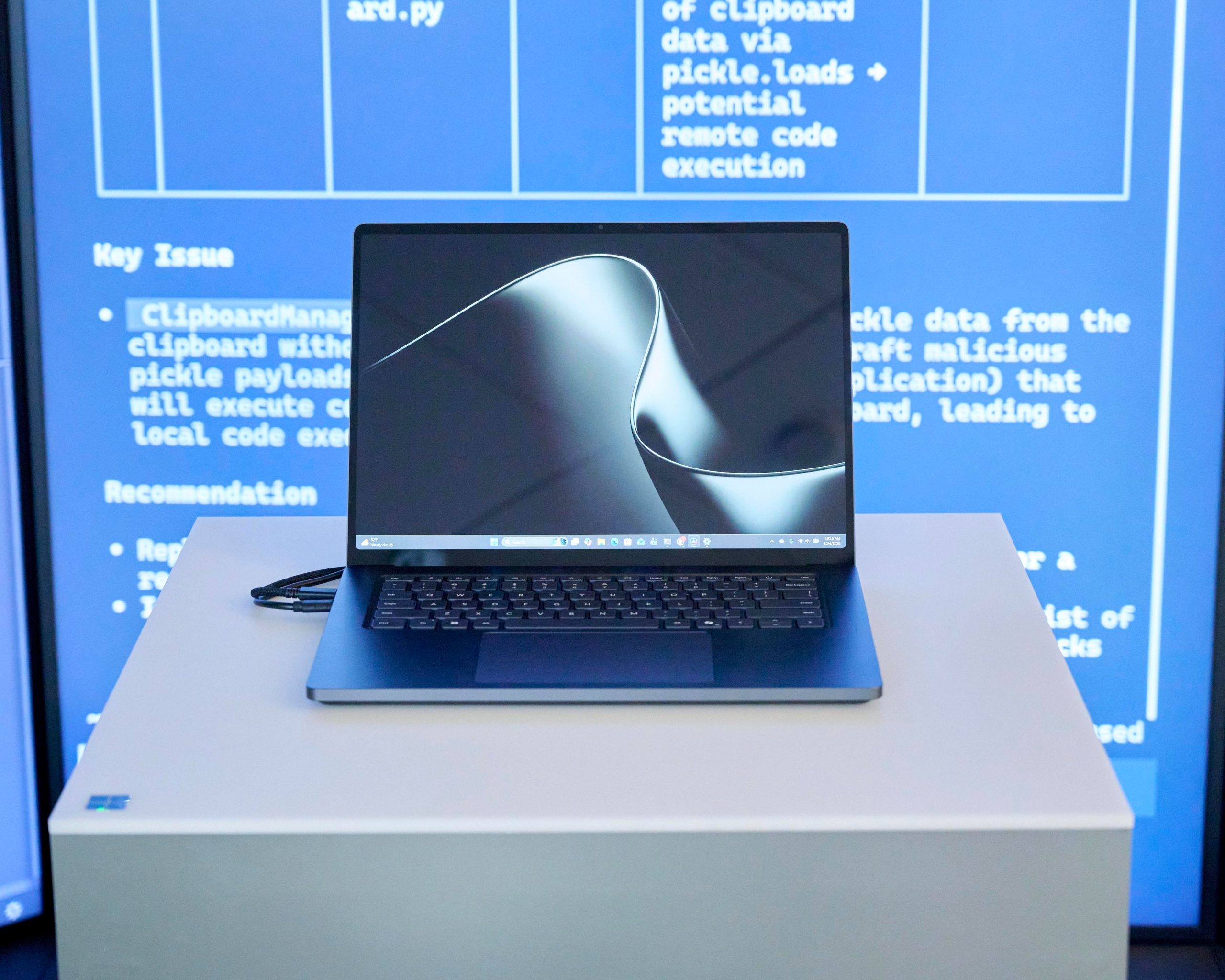
TechGadgetsLaptopsSurface Laptop Ultra review: a different kind of MacBook ProA beautiful laptop built for an AI future that hasn’t quite arrived.If you buy something from a link, The Verge may earn a commission. See our ethics statement.by Tom WarrenPhotography by Meron MenghistabOct 16, 2026, 12:00 PM UTCShareGiftIf you buy something from a link, The Verge may earn a commission. See our ethics statement.This MacBook Pro lookalike is designed for developers.Tom Warren is a senior correspondent and author of Notepad, who has been covering all things Microsoft, PC, and tech for over 20 years.After setting up Microsoft’s Surface Laptop Ultra, I spent five minutes just staring at it. I wasn’t surprised by its MacBook Pro-like design or blown away by its bright display.
I was trying to work out what I’d actually do with a $5,900 laptop.This isn’t just any regular Windows laptop. Microsoft has teamed up with Nvidia to build a high-end laptop to showcase Nvidia’s new Arm-based RTX Spark chips. It’s a big moment for Windows on Arm, as these chips can run demanding AI models locally, alongside the latest AAA games and creative apps. The promise is compelling, but the reality of local AI is much messier.Getting the most out of the Surface Laptop Ultra, especially my top-of-the-line model, requires coding experience or the patience to experiment with models and AI agents until you find something that works.
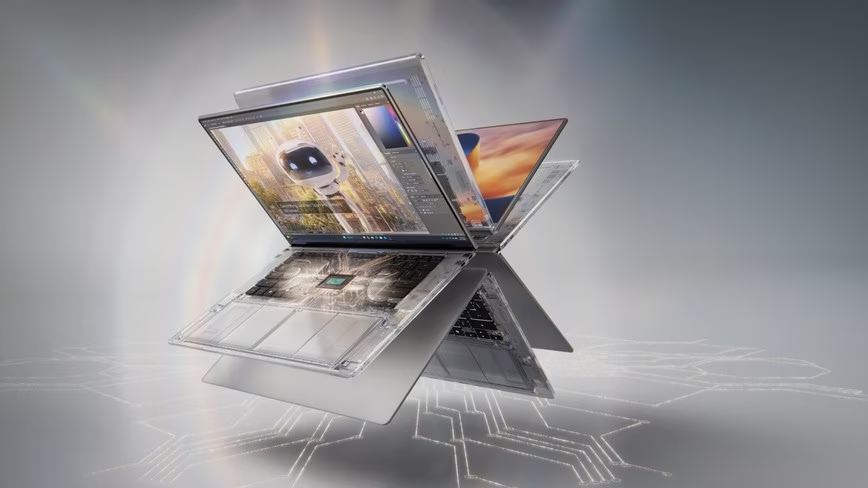
If that sounds like you, Microsoft might have built the Windows laptop you’ve been waiting for. If not, this might not be the MacBook Pro competitor Microsoft was hoping for.6Verge ScoreMicrosoft Surface Laptop Ultra$2599$2599The GoodBeautiful hardware designMagnetic USB-C chargingLarge haptic trackpadThe BadLocal AI feels like a betaSome bugs with sound and displayCPU performance is underwhelming$2599 at Best Buy$2599 at MicrosoftHow we rate and review productsIt feels like Microsoft has finally built the hardware to rival Apple’s pro laptops, thanks to an all-aluminum design, large haptic trackpad, and high-end finish. Even the “nightfall” color is just like Apple’s space black.There are plenty of meaningful differences, though. The 15-inch MicroLED display can run at up to 2,000 nits of peak HDR brightness, at 262 pixels per inch (3270 x 2180); the MacBook Pro peaks at 1,600 nits.
That makes it the brightest display Microsoft has ever shipped on a Surface Laptop. Unlike the MacBook Pro, it’s also a 3:2 touchscreen, perfect for writing code, reading text, or editing photos.The port selection is similar to the MacBook Pro, with one very big change. You get three USB-C ports, a USB-A port, a single HDMI 2.1b port, SD card reader, and headphone jack. Where it really differs is Microsoft’s new Magnetic Connect.
It works just like the old Surface Connect, but through the USB-C port on the right-hand side. Just bring the connector close to the port, and it snaps into place. When you’re not charging, that port works just like the rest of the USB-C ports on the laptop.Magnetic Connect is one of my favorite additions on the Surface Laptop Ultra. I love how you can reverse the magnetic USB-C charging end, attach it to the power brick, and use the regular USB-C connector at the opposite end of the cable to charge the rest of your devices.Left-side ports: HDMI, 2x USB-C, and a headphone jack.Right-side ports: SD card reader, USB-A, USB-C.The haptic feedback on the large trackpad is also a welcome addition.
It works with things like clicks, drags, and window alignment throughout Windows 11, and the tactile feedback triggers in apps like PowerPoint as you drag and align objects or images in a deck, too. It’s subtle enough to make it feel like you’re really moving windows or interfaces around, but I do wish more apps supported it.Microsoft has included a 1080p front-facing camera above the screen. The quality is fine for video calls, and it supports Windows Hello face authentication and Windows Studio Effects like automatic framing, eye contact, and background blur.Not all of the Surface Laptop Ultra hardware is impressive, though. I’ve had issues where I’ve unplugged the charger at 100 percent only for Windows to then immediately report 97 percent battery life.
Plugging in would put it back to 100 percent and then it would immediately drop back to 97 percent again each time I unplugged.The magnetic USB-C charger is an impressive addition.It seemed weird so I asked Microsoft about the behavior, and it’s designed this way to make a battery last longer. “When it’s plugged in and the battery is full, the device pauses charging rather than constantly topping off, and resumes only once the level drops to 95 percent,” says Microsoft spokesperson Moses Nsereko. “This reduces wear over time. While plugged in, the indicator shows 100 percent to indicate a full charge. When you unplug, it shows the battery’s exact level right away, which may be a few percent lower.”I’ve run into some issues with the display, too, where either things felt slightly laggy or there was noticeable ghosting. Moving a window around rapidly sometimes left a little trail.
Changing power settings from the default “best power efficiency” mode to “best performance” seemed to fix most of the laggy feeling, and the backlight ghosting seems to be less noticeable the longer you run the laptop.I also heard some loud pops and bangs from the built-in speakers on the Surface Laptop Ultra. They were loud enough to sound like firecrackers, and I thought the battery was about to die before I realized it was just speaker interference. Rebooting the Surface Laptop Ultra solved this one, but it’s happened a couple of times now.Speaking of rebooting, I’ve noticed that rebooting the Surface Laptop Ultra is surprisingly slow. This seems like something Microsoft could easily fix with an update, though.The Surface Laptop Ultra can run complex local AI models.The RTX Spark that powers the Surface Laptop Ultra is designed with local AI models and agents in mind.
The variant I’ve been testing has a 20-core CPU that was codesigned by Nvidia and MediaTek paired with a 6,144-CUDA-core GPU — roughly comparable to a mobile RTX 5060 — plus 128GB of unified memory and a 1TB Gen 5 SSD. It’s the top-of-the-line model at $5,899, and I think if you’re considering this particular laptop spec then you have a very specific use case in mind. The base version is $2,599, and it comes with an 18-core CPU, 5,120-CUDA -core GPU, and 24GB of unified memory.Out of the box, Microsoft prompts Laptop Ultra owners to pick an AI agent. You can choose between Hermes, OpenClaw, and Perplexity.
I tried out Hermes and OpenClaw over the past week, but I ran into issues getting OpenClaw to work initially. A reinstall fixed a gateway issue, and then I could name my agent and start using it for local AI tasks.I configured both Hermes and OpenClaw to use the Qwen3.8-27B model, one of the more powerful local AI models. Because it uses the full power of the Surface Laptop Ultra, it will spin up its fans at full throttle and 100 percent GPU for even the most basic of queries. I asked Hermes to resize and convert some photos from PNG to JPG, a task that would take seconds using a PowerToy utility.
It took minutes to complete, all while the fans were buzzing away and the laptop was getting hot.It’s probably my fault for using such a large model for a basic task, but without testing every single local AI model it’s hard to know which one to pick for each task you need. I asked OpenClaw to build me a smart home dashboard, but it spent 30 minutes spinning up the laptop’s fans and calling various tools to eventually produce nothing but an error.I don’t have a base Surface Laptop Ultra to test, but it’s easy to see that 24GB of unified memory will mean fewer local AI models to choose from.Local AI models are best for coding tasks right now.I struggled to come up with many compelling us





Leave a Reply